
CTS Companies · Learning library
A little guidance.
Practical guides for everyday tools.
01 / Microsoft Ecosystem Make everyday work easier.
Microsoft 365 Email, meetings, documents, and shared files
02 / VoiceGet to know your phone system.
CTS CloudCTS instructions · 9 guides
 Admin PIN & passwordPDF guide
 Dial-by-name directoryPDF guide
 Auto attendant: quick referencePDF guide
 Auto attendant: user guidePDF guide
 Call Manager schedulingPDF guide
 Emergency call forwardingImage quick sheet
 Speed dial programmingPDF guide
 Admin user-name changesPDF guide
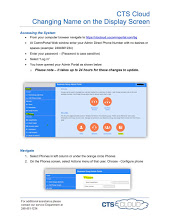 LCD display-name changesImage quick sheet
Intermedia UniteVendor guides for desktop, mobile, and voicemail
NECModel-specific CTS quick guide
For NEC SL2100 multiline phones. Button assignments and access methods depend on your site’s programming.
ToshibaModel-specific CTS quick guide
For DP5000-series phones on Strata CIX. Ask CTS for help with other Toshiba models or voicemail systems.
01 / Microsoft EcosystemLearn by watching.
Microsoft 365Manufacturer-provided video training
Windows 11Official Windows video
02 / VoiceSee your calling tools in action.
Intermedia UniteVideos from Intermedia’s own library
Tutorials are provided by Microsoft and Intermedia. Video links open on the manufacturer’s site or its official video channel.
No matching resources
Try a product name such as Windows, CTS Cloud, or Unite, or clear the search.
Resources open in a new tab. Available features depend on your system, licenses, and organization’s settings.
Need a hand?
Tell us your phone model or the task you’re working on. We’ll help you find the right instructions.