Apple Business, Intune, and RMM: Three Parts of Managing One Device
A new Mac can arrive looking almost finished.
It came from an approved reseller. The employee has a Microsoft 365 account. Someone has access to Apple Business. Someone else has Intune. The IT provider has an RMM platform.
That sounds like a managed device.
It may be. But only if the organization can answer a less glamorous question:
Which system is responsible for what?
Apple’s business offering has recently been renamed Apple Business; it combines capabilities previously associated with Apple Business Manager, Apple Business Essentials, and Apple Business Connect. Apple’s documentation makes the naming change clear. The older “Apple Business Manager” name will remain familiar for a while, and people sometimes call the whole category “Apple device management.”
The important distinction is that Apple Business, Microsoft Intune, and an RMM can all touch the same Apple device—but they solve different problems.
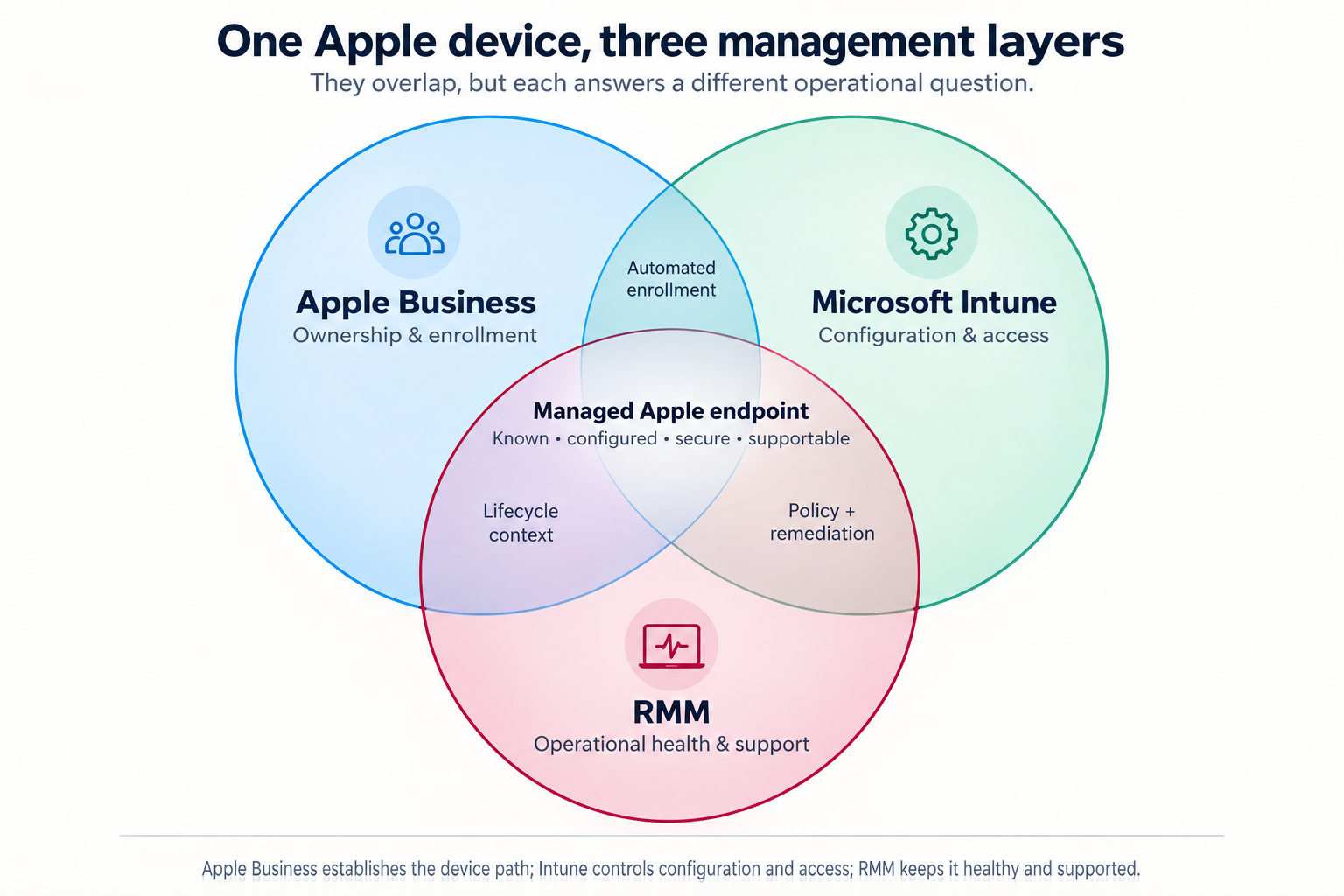
*The overlaps in this diagram are conceptual. They do not mean every product has a direct technical integration with every other product.*
Apple Business: ownership, identity, and the enrollment path
Apple Business is the Apple-side organizational layer.
Its central role is to help the organization establish that a Mac, iPhone, or iPad is company equipment and direct it into an approved management process. Depending on the organization’s Apple configuration, its functions can include:
Apple Business answers:
Does this device belong to the company, and where should it enter management?
That is essential when a device is first issued, replaced, reassigned, lost, or retired. It reduces the chance that the business discovers too late that a “company Mac” is still effectively tied to a former employee’s personal Apple account.
Apple Business may include Apple-native management capabilities depending on the subscription and configuration. But in a Microsoft 365-centered environment, it is usually best understood as the Apple ownership and enrollment foundation—not the complete answer to endpoint security or day-to-day support.
Microsoft Intune: configuration, security, and access
Microsoft Intune is a cloud endpoint-management service. Microsoft says it can enroll, configure, secure, and update devices; deploy and protect applications; and use compliance status in access decisions. It supports macOS, iOS, and iPadOS alongside Windows and other platforms. Microsoft’s Intune overview explains its connection to Entra ID and Conditional Access.
For Apple devices, Intune can commonly handle:
Intune answers:
What must be true before this device can use company information?
That question matters most when an employee signs in to Microsoft 365 from a Mac, iPhone, or iPad. Intune can help ensure the device meets the organization’s requirements before it reaches email, SharePoint, Teams, or other business systems.
RMM: operational health and support
An RMM—remote monitoring and management platform—is the operational layer. Exact features depend on the RMM product and the way an IT provider configures it, but its everyday responsibilities often include:
An RMM answers:
Is this device healthy, current, visible, and supportable today?
Intune can perform some endpoint-management and remediation functions that overlap with an RMM. An RMM can report on conditions that matter to a compliance policy. The difference is emphasis: Intune is generally the stronger Microsoft identity, policy, and access-control layer; an RMM is generally the stronger ongoing service-operations layer.
Where the overlap matters
The systems should reinforce one another, not compete.
| Overlap | Useful outcome | Decision to make |
| ———————– | ———————————————————– | ——————————————————————————- |
| Apple Business + Intune | Zero-touch enrollment and supervised device setup | Which MDM service receives Apple devices automatically? |
| Intune + RMM | Security policy plus monitoring, remediation, and support | Which tool owns patching, and which one opens the ticket when it fails? |
| Apple Business + RMM | Better asset and lifecycle context | Which system is the trusted record of company ownership? |
| All three | A device that is known, configured, secure, and supportable | Who owns the full lifecycle when the employee leaves or the device is replaced? |
The most common mistake is not selecting the “wrong” product. It is allowing two systems to be responsible for the same control—or assuming that one system handles a job it does not.
For example, if Intune and the RMM both try to govern operating-system updates, the result can be conflicting timing, unclear reporting, or a support team unable to say which system failed. If Apple Business assigns a device but nobody verifies that Intune enrolled it, the company may own equipment that never entered its security baseline.
A practical division of responsibility
For many small and midsize organizations using Microsoft 365, a sensible model looks like this:
The details will vary. A company with only a few iPhones may need a lighter model. A professional-services firm with managed Macs, remote employees, regulated information, and Microsoft 365 may need all three layers working together.
The goal is not to collect dashboards. It is to make sure a business-owned Apple device has a clear path from purchase, to enrollment, to secure use, to support, to retirement.
Ask about any company Mac, iPhone, or iPad:
If those questions have clear answers, the device is managed.
If the answer is, “We have an Apple portal somewhere, and our IT company can probably see it,” the organization may have software—but not yet a device-management model.